Low-Cost Kitting Station: A Shared Order Queue for Robot Arms
A small robot station that takes kitting orders from one shared queue, picks the items and records the result. Built in 2.5 days with team Armed and Safe. We did not win; in our demo a real SO-101 arm filled orders from the console.
Context
Kitting means preparing everything one job needs into one ready set: the items of an order, the parts of an assembly, the tubes of a test. Big sites automate it. Small sites still pack kits by hand, which is slow, error-prone and leaves no record of who packed what.
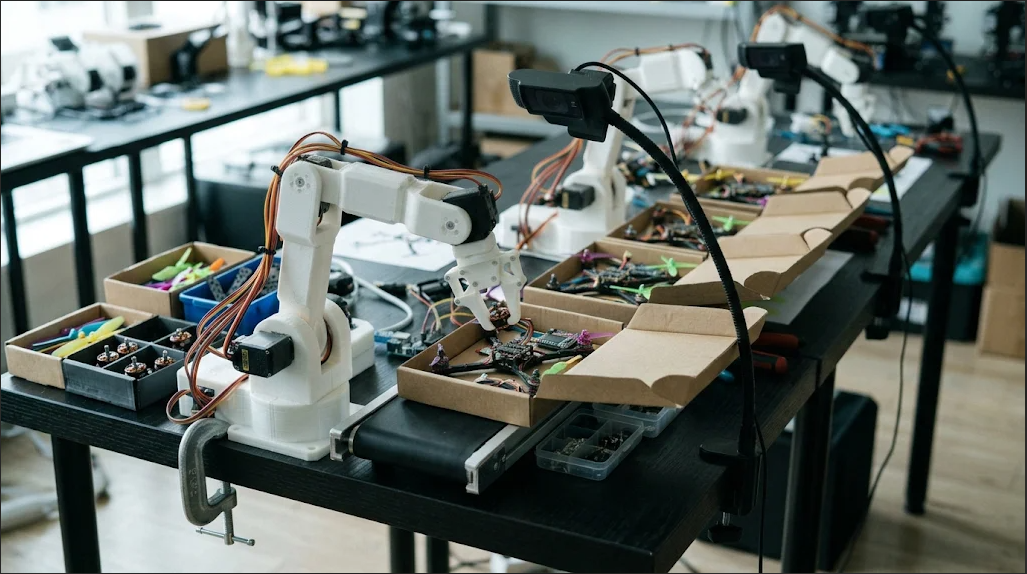
Our idea was a small station: an order comes in, a low-cost arm picks the items, a camera confirms the result, and the order closes with a record. The team built on a shared codebase for vision, arm control and calibration.
My role
I was the product and project lead, and I also worked hands-on. I assembled the arm from ready-made printed components and set it up. I designed and developed the control panel, the order console, with AI-assisted coding. I defined the scope and the order format and wrote the pitch. The vision and arm control code, the calibration and the simulators were my teammates’ work.
What I built
The arm. I assembled an SO-101 arm from ready-made printed components and set it up.
A demo-sized scope. The first concept had three ways to give an order: voice, printed-card OCR and QR. I made QR the first input, then inventory, execution and verification, in that order.
One order format. A small versioned JSON with a recipient and item counts per colour, so intake, queue and arms could be built in parallel.
The control panel. I designed and developed the order console. Orders arrive by QR, form or API and are validated on entry. One shared queue serves urgent orders first, then the oldest. Any free arm claims the next order.
A real service. The console runs in Docker on a server behind a reverse proxy with a login. I wrote an integration guide so teammates could connect their arm code: API calls, environment variables, troubleshooting.
The pitch. A 16-slide deck with named competitors, a business model and a status tag on every claim: Today, MVP or Planned.
Features
What the console does, in the order a visitor would meet it. The screenshots come from a test instance with older demo orders, so the timings on them are simulated.
1. One view of the whole station
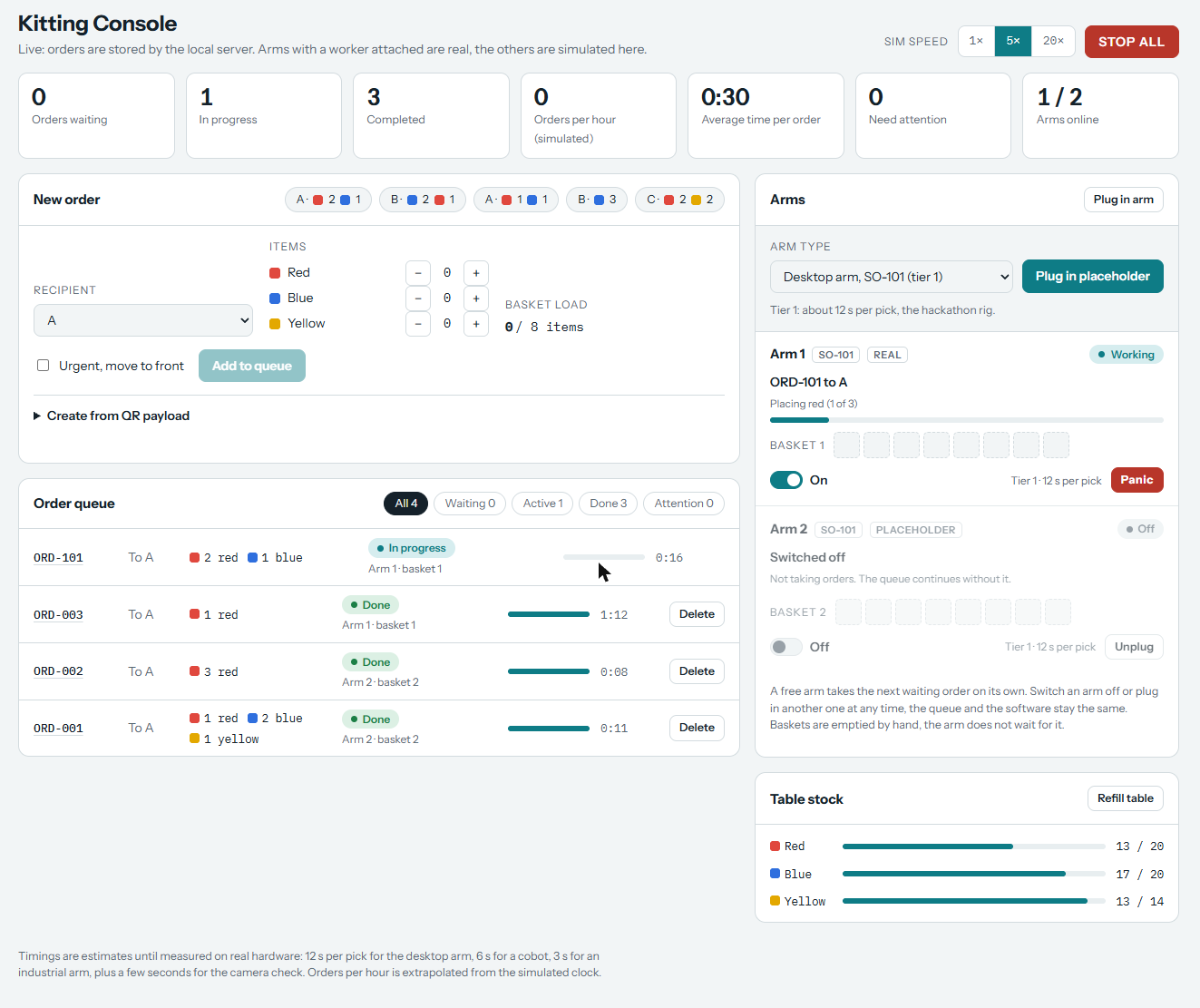
Seven counters sit on top: orders waiting, in progress, completed, orders per hour, average time per order, orders that need attention, and arms online. A Stop All button halts everything. Orders per hour and the average time come from a simulated clock until they are measured on real hardware.
2. Order form and queue
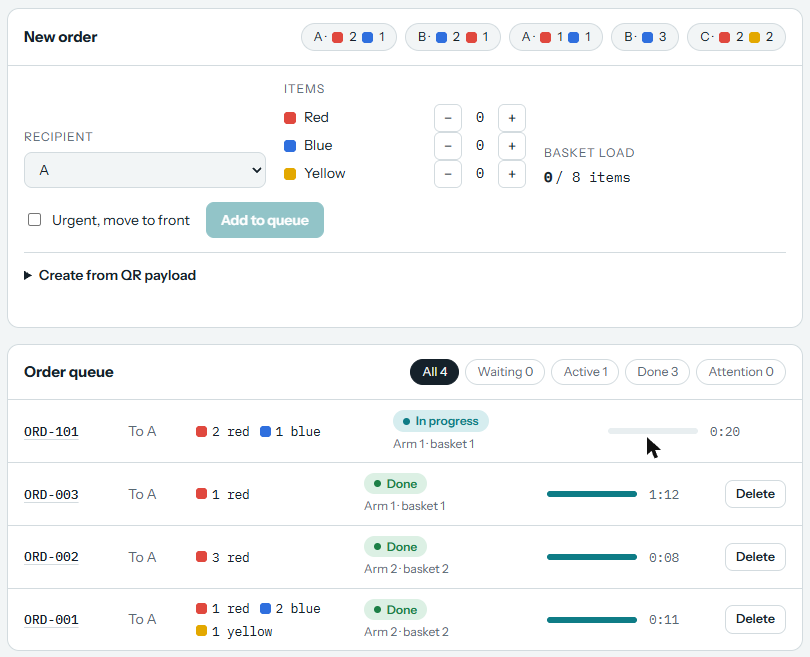
Choose a recipient and the items (red, blue, yellow), or tap a preset such as A, 2 red and 1 blue. A basket holds up to eight items. An urgent order moves to the front, and an order can also be created from a QR payload. Unknown items, malformed data and repeated order ids are refused. In the queue, every order shows its arm and basket, progress, time and status: waiting, in progress, done or needs attention.
3. Arms share the work
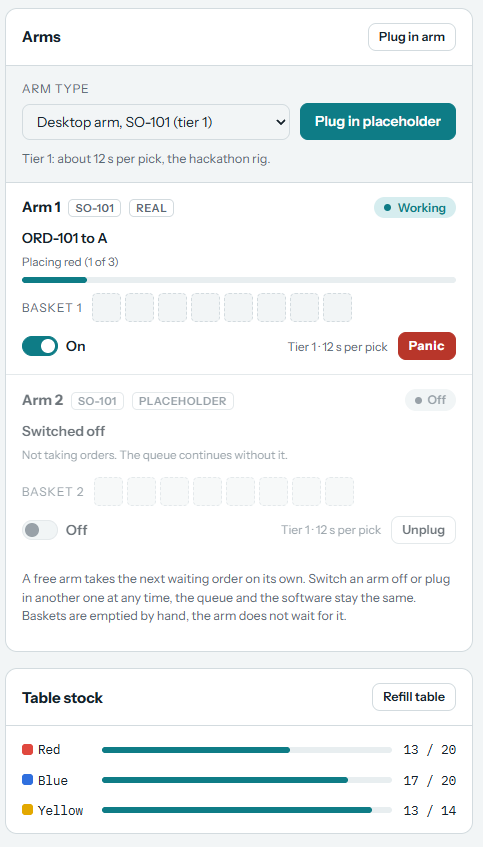
Each arm card shows the current order, the item being placed, a basket of eight slots, an On and Off switch and its own Panic button. Arm 1 is a real SO-101 with a worker attached; Arm 2 is a placeholder that shows what a second arm does to the queue. A free arm takes the next order on its own, and the queue keeps going if an arm is switched off. Placeholders of other classes can be plugged in, with planning estimates of 12 s per pick for the desktop arm, 6 s for a cobot and 3 s for an industrial arm. These are estimates, not measurements.
4. Table stock and camera confirmation
The console tracks the stock on the table per colour. On the arm computer the counts come from the camera, and an order is marked as verified by the camera, for example when a blue brick is seen in cup 2. An order waits while the bricks it needs are not on the table.
5. Panic and recovery
Panic has three states: rest, home or freeze, with Continue and Reset. The arm worker polls it, so an operator can stop any arm at any moment. An unfinished order resumes after a worker restart, network errors are retried, and deleting an order asks for confirmation.
Result
- The team did not win. I count it as useful experience.
- In the demo the console ran on a laptop against a real SO-101 arm. Orders were picked into two cups and shown as verified by the camera.
- The order side was built and tested with simulated arms before the real arm was connected.
- Teammates added a real arm worker, a browser calibration wizard and a physics simulator to the shared repository.
- The pitch compares us with named solutions (OSARO for robotic kitting, BD Rowa for pharmacy picking) and marks each claim as built, MVP or planned.
Demo
A short clip shows the Kitting Console on a laptop while a real SO-101 arm moves coloured bricks into two cups. The live console sits behind a login, so I am not linking it.
Honest limits
- One demo, not a measurement. The clip shows a working run. I do not have a success rate, a cycle time or a count of missed grasps, so I would not claim reliability from it.
- Missed grasps. The arm sometimes misses the object. The code retries a missed grasp up to three times, but I have no data on how often that was needed.
- A simple camera check. It counts coloured bricks under demo conditions: a white sheet, two cups, three colours. Other items and lighting were not tested.
- Assumed numbers. The money figures on the Problem slide are an illustration on assumed figures, labelled as such.
- No customer evidence. No pilot, and partner interest is not validated.
- An overclaim I removed. One slide said the framework was ready for an industry. We only handled orders for coloured cubes, so it now says “Planned, not built yet”.
Next steps
- Measure pick reliability: run many orders and log every miss and retry.
- Confirm each pick as it happens, instead of checking the cups after the order.
- Run a pilot with a small laboratory or pharmacy to replace the assumed figures.
- Hold about ten partner conversations to test the white-label channel.